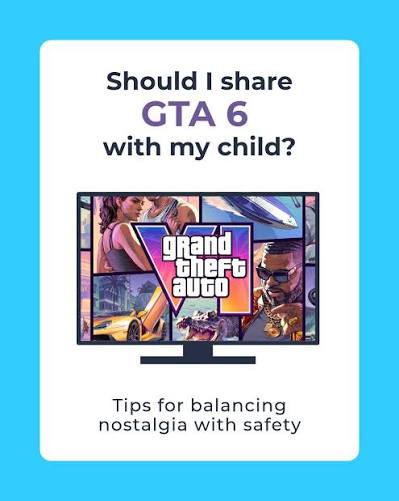
If your child is asking for GTA 6 this Christmas, this guide explains what the game is, what the age rating means and how to stay in control. We’ve kept it factual and free of graphic detail.
The short answer
GTA 6 is made for adults. It’s rated PEGI 18 in the UK and Europe and M (Mature 17+) in the US. That’s the highest age rating, the same as GTA 5 before it.
| Region | Rating |
|---|---|
| UK and Europe (PEGI) | 18 |
| US and Canada (ESRB) | M (Mature 17+) |
| New Zealand | R18 |
In the UK, PEGI 18 is legally enforced for sales. Shops can’t sell GTA 6 to anyone under 18. It’s still the parent’s call what’s played at home, which is why it’s worth knowing what’s in it.
What’s in the game
GTA is a crime series. You play as criminals in a large open world, and the story is built around robberies and the criminal underworld. The ratings boards list these themes:
- Violence: frequent and intense, including blood and gore. Players can attack bystanders as well as enemies.
- Sexual content and nudity: including sex scenes.
- Drugs and alcohol: shown and used, including by the player characters.
- Strong language: swearing throughout.
- Crude humour: adult jokes and satire, including on radio stations and TV.
Much of this is part of the story and can’t be switched off. There’s no “family mode” or content filter in GTA games.
Is there online play?
At launch, no. Rockstar describes GTA 6 as a single-player game. There’s no multiplayer, voice chat or chat with strangers on day one.
An online mode (like GTA Online for GTA 5) is widely expected later. If it arrives, it would add contact with other players, so check back here and review your settings then.
Will it ask for money?
The age ratings list In-Game Purchases. There’s no online mode at launch, so day-one spending should be limited, but GTA Online has a history of selling in-game currency. Setting a spending limit now is a good idea either way.
How to set up parental controls
PS5
- On the PS5, go to Settings → Family and Parental Controls → Family Management. You can also use the PlayStation Family app on your phone.
- Pick your child’s account.
- Set the age level for games. A PEGI 18 game will then be blocked unless you allow it.
- Set a monthly spending limit, which can be zero.
- Set playtime limits if you want to control how long they play.
Xbox Series X|S
- Download the free Xbox Family Settings app on your phone and sign in with your Microsoft account.
- Add your child’s account to your family group.
- Under Content restrictions, set the age limit. The console will block anything rated above it.
- Turn on Ask to buy so every purchase needs your approval.
- Use Screen time to set daily limits.
If you choose to allow GTA 6 for an older teen, you can approve that one game as an exception while keeping other 18-rated games blocked.
Questions to think about
Every family is different. If you’re deciding whether an older teen can play, these questions can help:
- How does your child usually handle violent or mature films and TV?
- Would you be comfortable watching some of it with them first?
- Do they understand the game is satire and not something to copy?
- Will they be playing in a shared room or alone?
Many parents find it useful to watch a few minutes of gameplay on YouTube before deciding. It gives you a clear idea of what the game is like in a way a rating label can’t.
Good alternatives for younger players
If GTA 6 isn’t right yet, these open-world games give a similar sense of freedom with lower ratings:
- Forza Horizon series (PEGI 3): open-world driving.
- LEGO City Undercover (PEGI 7): a family-friendly take on cops and robbers.
- Marvel’s Spider-Man series (PEGI 16): swing around a big city as a hero.
- Minecraft (PEGI 7): building and exploring.
Got a question we haven’t answered? Leave a comment and we’ll add it to this guide.